Creating consistent LinkedIn content is tough - especially for coaches juggling multiple responsibilities. But in 2026, AI tools make it easier to share expertise, stay visible, and attract clients. These tools simplify writing posts, repurposing content, and designing visuals, saving time while boosting your LinkedIn presence.
Here’s a quick look at the top tools:
Each has strengths, like writing, visuals, or video editing, so choosing depends on your needs. For a full solution, Content Maker Studio stands out by handling everything from strategy to execution in one platform.
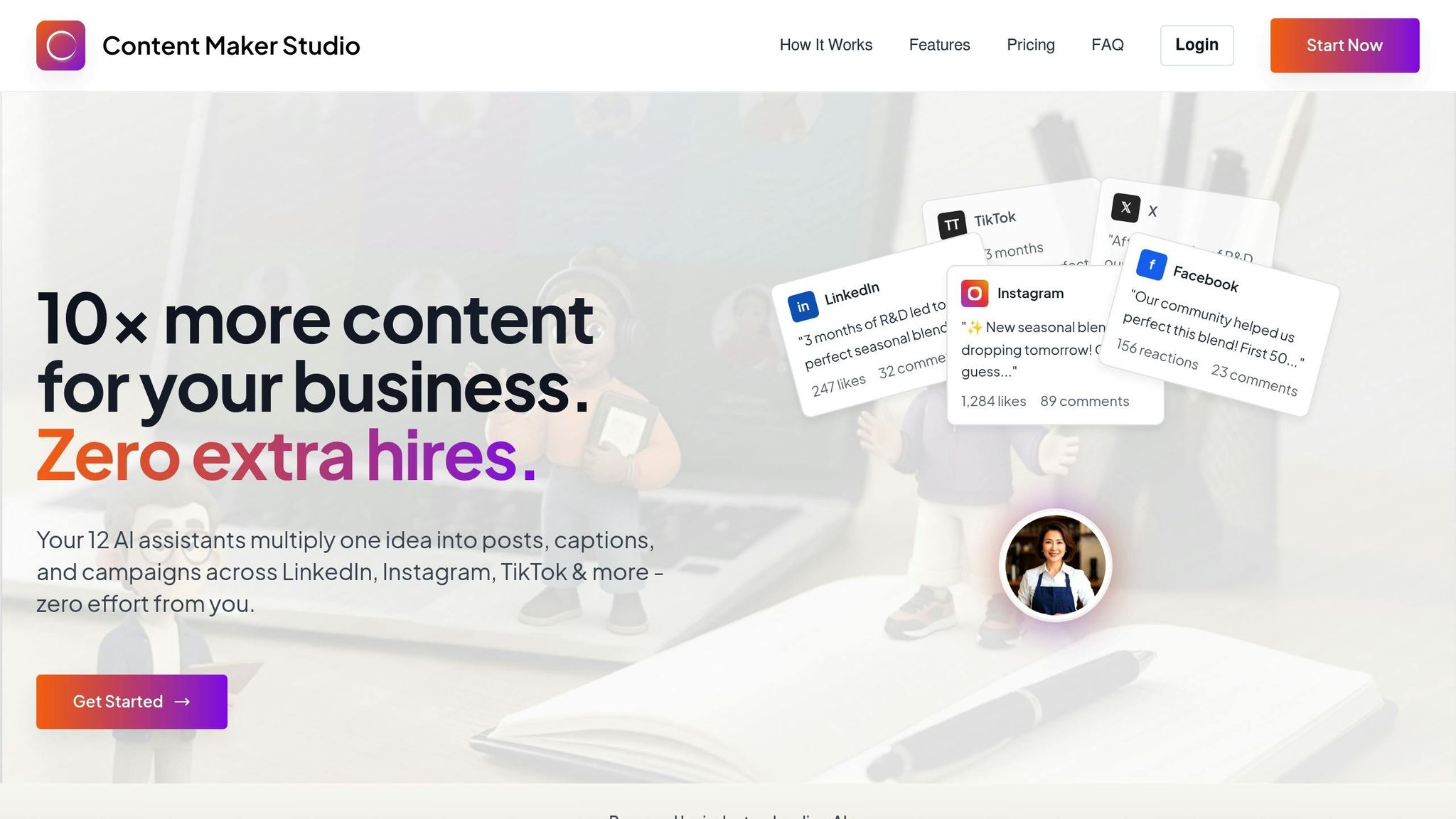
Content Maker Studio is a standout tool for coaches aiming to solidify their presence on LinkedIn in 2026. What sets it apart is its team of 12 specialized AI assistants, designed to manage every aspect of your LinkedIn content strategy seamlessly.
With assistants like Ray for research and Juno for script writing, CMS eliminates the hassle of juggling multiple tools. Let’s dive into what makes CMS such a powerful resource.
CMS is designed to help coaches establish themselves as thought leaders. Its Authority Engine focuses on crafting content like POV posts, frameworks, and insights that showcase your expertise and unique methodology.
The platform supports a variety of LinkedIn content formats, from engaging text posts to polished carousel designs and attention-grabbing video captions. The ContentPen feature takes it a step further by generating content - including blogs - that aligns perfectly with your brand’s voice and style [1].
For coaches with packed schedules, the Repurpose Studio feature is a lifesaver. It transforms a single webinar into multiple LinkedIn posts by pulling out key insights, actionable tips, and memorable takeaways. This ensures you stay active on LinkedIn without the need to create new content daily.
Maintaining a consistent brand voice can be tricky, but CMS makes it simple. Its Brand Brain technology and 1-Click Brand Kit learn your tone, style, and messaging preferences. These tools store essential brand elements, ensuring every piece of content reflects your authentic voice. Whether you’re sharing a client success story or breaking down a complex coaching framework, your content will feel unmistakably “you.”
The AI assistants are also fine-tuned to generate posts and captions that drive engagement, helping you connect with your audience on a deeper level [1].
CMS offers flexible pricing options: $38.80 per month, $70.80 per quarter, or $99.00 for a six-month plan. All plans include access to the full suite of 12 AI assistants and unlimited content creation.
This investment not only saves time but also elevates the quality of your LinkedIn presence, helping you post consistently, build authority, and attract inbound clients. When you consider the time saved and the polished content produced, it’s a smart move for any coach.
Jasper is a powerful AI tool designed to help coaches craft compelling text, especially for LinkedIn. As part of a broader suite of AI solutions, Jasper focuses on simplifying the process of creating impactful LinkedIn posts using templates designed to drive engagement and conversions.
One of Jasper's standout features is its extensive library of templates tailored for various marketing needs. Whether you're crafting thought leadership posts or content aimed at sparking engagement, Jasper provides structured frameworks to guide your writing. This makes it particularly useful for coaches who want to focus on LinkedIn-specific content.
What sets Jasper apart is its ability to produce copy that’s designed to convert. Laura Wade, a presentation design expert at SlidePeak, highlights this strength:
"But for marketing copy? It's actually better. Way better." [2]
Wade considers Jasper a must-have for creating "marketing copy that converts," which is exactly the type of content coaches need to grow their presence on LinkedIn [2].
Jasper goes beyond templates by focusing on maintaining your unique voice. Its brand voice feature can analyze your best-performing content and replicate your tone and style, ensuring consistency across your LinkedIn posts. Laura Wade explains this feature in action:
"Jasper has templates for everything - sales emails, landing page copy, social media posts. But the real magic is the brand voice feature. I fed it my best-performing emails, and now everything it writes sounds like me." [2]
This ability to reflect your personal voice ensures that your LinkedIn content feels authentic and aligned with your brand.
Jasper is available for $59 per month [2], placing it in the mid-range of AI content creation tools. While it excels at producing high-quality written content, coaches may need a separate tool for creating visuals. For those focused primarily on crafting effective, high-performing text, Jasper is a strong choice.
Canva Magic Studio is a game-changer for coaches looking to create polished LinkedIn carousels without needing a design background. This suite of AI-driven tools simplifies visual content creation, making it accessible and effective for professionals who want to stand out on LinkedIn. By blending text and visuals seamlessly, Canva Magic Studio aligns with the versatility seen in other AI tools covered earlier.
What sets Canva Magic Studio apart is its ability to simplify the entire process of creating visual content. Magic Write transforms simple prompts into engaging carousel text, allowing coaches to quickly craft LinkedIn-friendly content. Whether you're outlining a coaching framework or showcasing client success stories, this tool takes care of the writing, so you can focus on delivering your message.
Magic Media takes things further by generating custom visuals from text prompts. Instead of spending hours searching for the perfect images, you can create visuals that align perfectly with your content. This is especially useful for LinkedIn carousels, where every slide needs to look cohesive while offering something fresh.
Collaboration is another standout feature. Teams can work together on carousel projects, ensuring a smooth workflow without compromising on creativity. These tools are tailored to help coaches maintain the consistency and quality needed for strong LinkedIn engagement.
One of Canva Magic Studio's most practical features is Magic Resize, which automatically adjusts content to fit LinkedIn's specific dimensions and professional tone. For example, if you've created an Instagram carousel to highlight your coaching methodology, Magic Resize can reformat it instantly for LinkedIn, saving time and effort.
The platform also allows content to be reformatted across different channels with a single command[1]. This ensures coaches can maintain a cohesive social media presence while tailoring their content to suit LinkedIn's professional audience.
Access to Canva Magic Studio's AI features, including Magic Resize, comes with a Canva Pro subscription priced at $15 per month[2]. This makes it one of the most budget-friendly options for coaches who prioritize creating visually appealing content. Considering that LinkedIn carousels often drive higher engagement than text-only posts, Canva Magic Studio offers excellent value for professionals aiming to make an impact.

Notion AI is a tool designed to turn your coaching insights into LinkedIn content that stands out. It takes your coaching notes and session transcripts and refines them into sharp, professional updates ready for LinkedIn.
Notion AI simplifies the process of repurposing your documented coaching insights. It identifies the most important takeaways from your sessions and transforms them into polished posts. This helps coaches maintain a consistent and engaging LinkedIn presence by sharing meaningful updates drawn directly from their work.

Descript simplifies the process of transforming recorded content into LinkedIn posts, making it as straightforward as editing a text document. Whether you're working with webinars, coaching calls, or interviews, this tool streamlines the entire process.
Descript takes a unique text-based approach to video editing. You upload your content, it generates a transcript automatically, and you can edit by simply modifying the text. The platform organizes your recordings into scenes, making it easier to navigate through lengthy files. Plus, you can seamlessly add B-roll footage from its stock library to enhance your videos [4].
For those looking to level up their production quality, Descript's Underlord toolkit is a game-changer. It offers advanced AI tools to boost audio quality to a studio-like standard and automates multi-camera cuts. This ensures your LinkedIn videos sound polished, even if they were recorded in a less-than-ideal setting, like your home office [4].
These editing tools naturally lead into Descript's standout feature: repurposing content.
One of Descript's strengths is its ability to transform long-form content into short, engaging clips - perfect for LinkedIn. If you're a coach producing podcasts, interviews, or webinars, you can quickly create highlights tailored for social media [3] [4].
"Descript is the ultimate tool for turning podcasts, interviews, and webinars into blog posts and short clips. A must have for teams doing thought leadership or repurposing video." - IMPACT Team [3]
By combining efficient editing with powerful repurposing tools, Descript helps you maintain a polished and consistent LinkedIn presence.
Descript offers flexible pricing plans to suit various needs. There's a free plan that provides up to 1 hour of transcription - perfect for giving the platform a try [4]. For those who need more, the Hobbyist plan is available at $24 per month. This plan includes 10 hours of transcription, removes watermarks, and supports exports in up to 1080p quality [4].
It’s worth noting that transcription accuracy can occasionally vary, so you might need to make some manual corrections [4].

OpusClip is designed to turn long-form video content into short, engaging clips perfect for LinkedIn. This AI-powered tool takes care of the heavy lifting by identifying the most captivating parts of your videos, generating captions, adjusting aspect ratios (including LinkedIn’s favored 1:1 format), and even adding B-roll footage to make your clips more dynamic and visually appealing.
OpusClip simplifies the process of creating and repurposing content for LinkedIn. Backed by AI trained on over 100,000 hours of video content [5], it pinpoints the most engaging moments in your footage. Features like ClipAnything and ReframeAnything work together to craft concise clips that retain the core message of your longer videos, eliminating the need for extensive manual edits.
The platform uses a credit-based system, where one credit equals one minute of processed video. For example, the Pro plan provides 1,000 credits, which can produce about 10 fully polished clips. This efficiency translates to significant time savings, cutting down editing time by 63% - from 12 hours to just 4.4 hours [5].
OpusClip offers a subscription-based pricing model with plans tailored to different content needs. The Pro plan costs $29 per month and includes 1,000 credits, which breaks down to roughly $2.90 per clip. This plan also removes watermarks, supports multiple aspect ratios, integrates social media scheduling, and reduces video production costs by up to 70% compared to manual editing [5].
While complex edits may still require some manual adjustments, OpusClip stands out as a time-saving option for video-first professionals, especially coaches looking to maximize their LinkedIn presence.
Each AI tool has its own set of strengths and limitations, catering to different aspects of content creation.
Content Maker Studio is a well-rounded option for coaches looking to combat content fatigue. With a suite of 12 AI assistants, it supports everything from research to performance analysis for just $38.80 per month. Features like brand-voice learning and automated content planning help maintain a consistent tone and steady publishing schedule.
Jasper shines in crafting marketing copy, offering templates tailored for social media posts while ensuring a unified brand voice across platforms [2]. However, its focus is primarily on text generation, leaving visual design needs unmet - an important factor for LinkedIn's increasingly image-driven format.
Canva Magic Studio excels in visual content creation, allowing users to automate reformatting and repurposing content for various social networks [1]. This makes it a go-to tool for creating carousels and infographics, which are vital for LinkedIn engagement. However, users need a separate solution for writing captions and post text.
Notion AI is a productivity powerhouse, ideal for organizing and summarizing information like meeting notes, action items, and project timelines [2]. While it’s helpful for structuring content plans, coaches will need additional tools to turn this organized information into polished LinkedIn posts.
Descript focuses on transforming long-form video and audio content - such as podcasts and webinars - into short clips and written summaries [3]. While it’s great for repurposing content, it doesn’t address copywriting or visual design, leaving gaps for LinkedIn-specific needs.
OpusClip specializes in converting long-form videos into short, engaging clips. At $29 per month for the Pro plan, it can cut editing time by 63%, reducing it from 12 hours to just 4.4 hours. However, its single-purpose nature means users will need other tools for copywriting and strategic content planning.
Here’s a quick comparison of these tools, highlighting their costs, strengths, and key limitations:
| Tool | Monthly Cost | Best Strength | Main Weakness | Time Savings |
|---|---|---|---|---|
| Content Maker Studio | $38.80 | Full content workflow | Newer platform | Highest overall |
| Jasper | $49+ | High-quality copywriting | No visual design features | Excellent for copy |
| Canva Magic Studio | $15 | Visual content automation | Limited AI writing capabilities | High for design tasks |
| Notion AI | $10 | Knowledge organization | Not built for content creation | Medium |
| Descript | $15 | Video repurposing | Single-purpose tool | Superior for video tasks |
| OpusClip | $29 | Video clip automation | No copy/design support | 63% editing time saved |
Ultimately, the choice of tool depends on your specific needs. While some tools excel in niche areas, others aim to streamline the entire content creation process. For coaches building their LinkedIn presence, an all-in-one solution offers the best balance of efficiency and effectiveness. Even with AI, human input remains essential for crafting impactful and persuasive messaging [1] [2]. Combining AI’s automation with creative human oversight is the key to standing out.
By 2026, LinkedIn has solidified its role as a must-use platform for coaches aiming to grow their personal brands and connect with potential clients. With more buyers researching coaches before booking and overall content visibility climbing, showing up consistently on LinkedIn isn’t just helpful - it’s essential for staying competitive.
While there are plenty of AI tools out there that excel in specific tasks - like crafting compelling copy, creating eye-catching carousels, or repurposing videos - they often require juggling multiple platforms to execute a full LinkedIn strategy. This patchwork approach can lead to frustration, inefficiency, and an inconsistent content pipeline.
That’s where Content Maker Studio stands out. At just $38.80 per month, it offers a complete package with 12 AI-powered assistants handling everything from research and writing to design and performance tracking. Its ability to adapt to your brand's voice ensures your content feels personal and genuine, while its automated scheduling features take the stress out of planning your posts.
For coaches looking to establish authority, attract inbound leads, and stay consistent without burning out, Content Maker Studio simplifies the process. In today’s LinkedIn landscape, delivering consistent, top-tier content is non-negotiable - and this all-in-one tool is built to help you meet that challenge head-on.
Content Maker Studio (CMS) offers tools like Brand Brain and the 1-Click Brand Kit to seamlessly integrate your unique tone, style, and story into all your LinkedIn posts. These features help ensure that every piece of content you share stays true to your personal brand, no matter the subject or format.
By using CMS, you can craft posts that showcase your expertise while keeping your brand identity consistent. This makes it easier to connect with your audience, build trust, and establish yourself as a credible voice in your field.
Content Maker Studio (CMS) takes the lead as the premier AI tool for LinkedIn content creation in 2026, thanks to its brand voice memory, multi-format repurposing, and a lineup of 12 specialized AI assistants. These features combine to deliver content that's polished, consistent, and perfectly aligned with your unique voice.
Here’s what makes CMS stand out:
With CMS, coaches can maintain a steady posting schedule, repurpose existing materials effortlessly, and build their authority - all without the risk of burnout. It’s the ultimate one-stop solution for mastering LinkedIn content.
Content Maker Studio delivers a blend of powerful AI tools and budget-friendly pricing, making it a practical choice for coaches and consultants. By streamlining tasks like content planning, writing, and repurposing, it helps you reclaim hours every week - time you can reinvest in growing your business instead of juggling LinkedIn management.
Beyond saving time, the platform ensures your content maintains a professional, polished look that aligns perfectly with your brand’s voice. This not only helps you build credibility but also draws in potential clients. When you weigh the cost of CMS against the time it saves and the quality it delivers, it’s an efficient way to maintain a steady LinkedIn presence without feeling overwhelmed.